News
Gear
Learn
Community
Resources
Gear
Digital Cameras
Ricoh
Caplio R3
Ricoh Caplio R3 Reviews & Specs
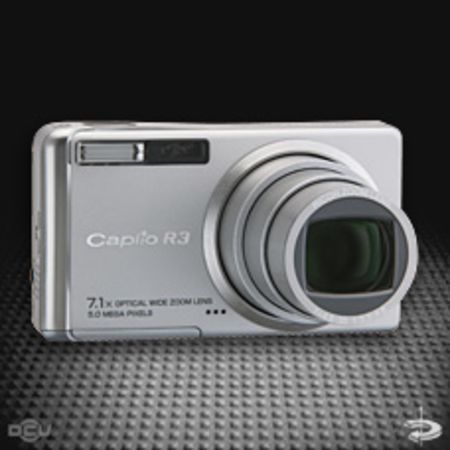
The Ricoh Caplio R3 is a 5.2M digital camera announced in September 2005.
Brand
Ricoh
Class
Resolution
2592 x 1944 (5.2M)
Zoom Type
7.1x optical zoom
Storage Media
SD, multimedia
Reviews
Specs
Reviews for Professionals
Other Reviews
Oct. 25, 2005
Ricoh Caplio R3 review at TrustedReviews
Dec. 14, 2005
Ricoh Caplio R3 review at PhotographyBlog
News & Guides
Sept. 8, 2005
Ricoh Caplio R3 press release
Jan. 12, 2006
Ricoh Caplio R3 firmware version 1.28
Introductions & Previews
Jan. 16, 2006
Ricoh Caplio R3 review by Josh Waller
Brand
Ricoh
Class
Resolution
2592 x 1944
Zoom Type
7.1x optical zoom
LCD Type
2.5" lcd viewer
CCD Pixels
5.2M
Storage Media
SD, multimedia
LCD Type
2.5" lcd viewer
Storage Media
SD, multimedia
Battery Type
DB-60 rechargeable
Date
Sept. 30, 2005
Update
Card Date
CCD Pixels
5.2M
Dimensions
95x53x26
Dimensions US
3.7x2.1x1.0
Weight
135g
Weight US
4.8oz
Lens
28 mm - 200 mm (7.1x) (dig: 3.6x)
Focus
auto | manual / 30 cm / 1 cm
Metering
center-weighted / spot / multi segment
Apterture
F3.3 - F4.8
White Balance
auto, 5 presets, manual
Shutter
auto / 8s - 1/2000s
Exposure
+/- 2EV in 1/3EV steps
Flash
internal 5 modes / 0.2 m - 2.4 m
Viewfinder
lcd screen
ISO
64 / 100 / 200 / 400 / 800
Image Size
2592x1944 / 2592x1728 / 2048x1536 / 1280x960 / 1280x960 / 640x480
Image Format
tiff / jpeg (exif 2.21)
Image Compression
fine / normal
Timing
Remote
self timer 10s / 2s
Video
avi 320x240, 160x120 (15fps, 30 fps)
Audio
wav
Connection
usb 1.1 / A/V (NTSC / PAL)
Storage
26MB internal, SD, multimedia
Software
Windows Me/2000/XP, Mac OS9, and OSX10.2-10.4
Image Info
Version
Reviews
Misc
Extra Features
vibration correction function
Comments
{'value1': ' \xa0', 'value2': None}
Title
Summary